One of the first things I noticed when playing with the Windows 8 preview build was that you can’t close metro style applications. Almost instinctively I pressed the Alt+F4 keys when I wanted to close a running application but nothing happened, I then tried to find an option within the application to close it but couldn’t find an exit button there neither.
Well after some reading and watching the Fundamentals of Metro style apps: how and when your app will run presentation things became clear. You don’t close a metro style application.
When opening a few metro style applications and then opening the task manager you will notice that some processes have the status of “Suspended”. To save system resources, Windows suspends the metro style application when it is not used, this to save system resources, but once a user switches back it’s almost instantly there again.
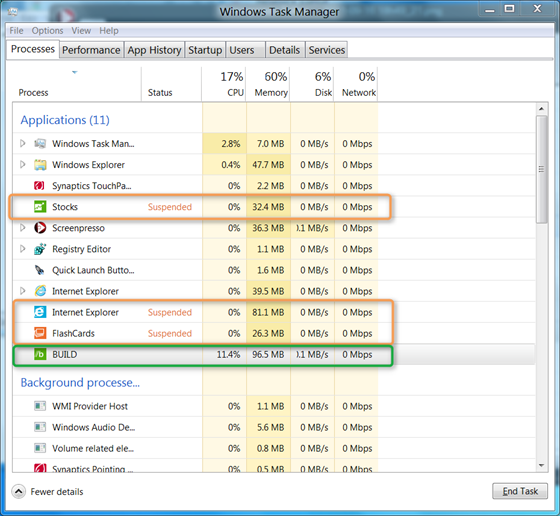
Even if you’re not a developer I recommend you watch you the BUILD session mentioned above as it provides some great detail about how metro style applications work.