Want to make a drive disappear in Windows or prevent users from accessing it? then here’s the tool you need. HIDECALC allows you to define the drives to hide or prevent access to. HIDECALC does not apply the change on the system itself, but provides various options for exporting the settings into the following formats:
Group Policy ADMX or ADM format
Registry File
Kix Script
PowerShell Script
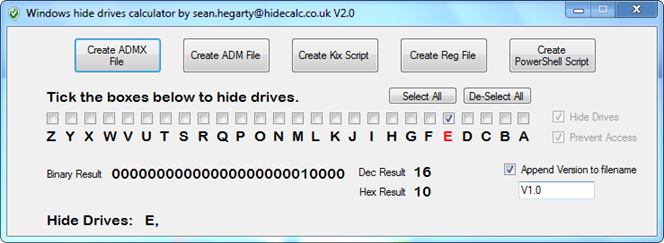
So here’s how this works.
Launch HIDECALC,
Define the drives to hide or prevent access to
Apply the script / GPO
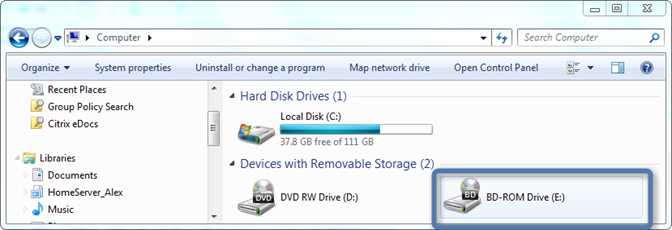
Before
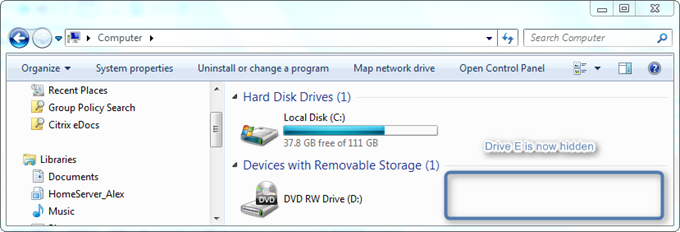
After hiding the Drive
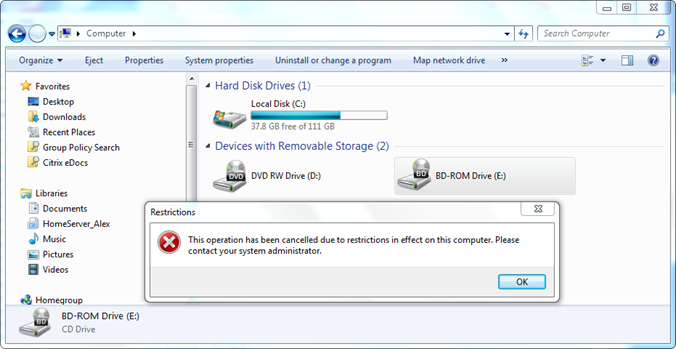
After just preventing access to the Drive
HIDECALC is FREE and can be downloaded from here