Today I found a nice utility that allows you to easily extract individual files from an MSI package. The tool is called “less miséreables”. it’s a kind of a funny name, but it does the job.
To extract a file, simply launch the utility, select the file(s) you want to extract and click on the extract button.
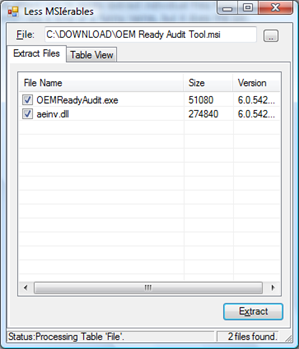
Of course the same can be done by using the MSIEXEC command from the command line as shown below, but that does extract all files.
msiexec /a PathToMSIFile /qb TARGETDIR=DirectoryToExtractTo