Hello everyone, last Friday I received an email from one of my customers, asking how to identify users in Azure AD that have enabled passwordless sign-in with the Microsoft Authenticator app. Previously I usually made use of the Script for Azure MFA authentication method analysis but that script uses the MSOnline PowerShell module where the Get-MsolUser cmdlet does not expose the information about these newer authentication methods.
So heading over to Microsoft Graph and there we can grab all authentication methods for users as shown in the example below.
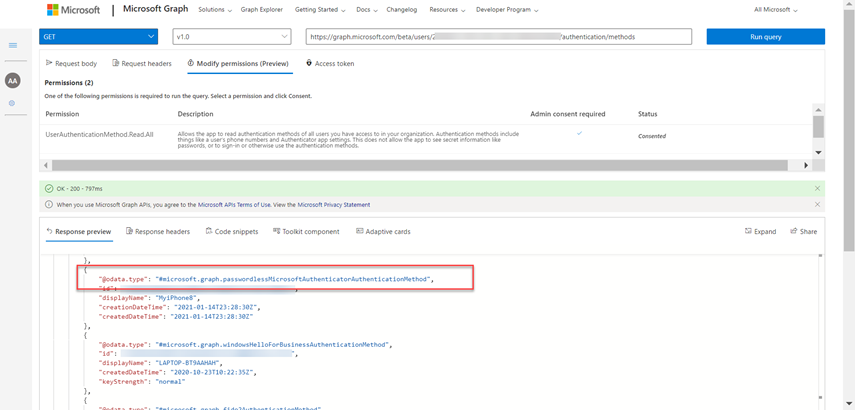
So, I created Get-AzureADUserAuthMethodInventory.ps1. The script first retrieves all users in Azure AD and then retrieves the registered authentication methods for each user.
If you have not done so yet, install the Microsoft Graph PowerShell modules.
Find-Module -Name "Microsoft.Graph" | Install-Module -Scope CurrentUser
Find-Module -Name Microsoft.Graph.Identity.AuthenticationMethods | Install-Module -Scope CurrentUser
Then run the following command.
Connect-Graph -Scopes @("UserAuthenticationMethod.Read.All", "User.Read.All")
Follow the instructions and grant consent.
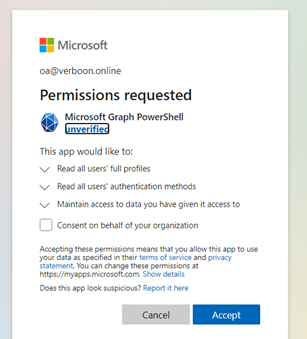
And finally run the script.
$AuthInfo = .\Get-AzureADUserAuthMethodInventory.ps1
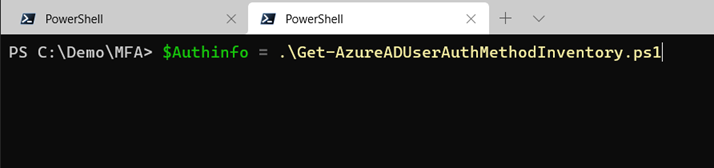
For each user found in Azure AD the following information is collected.
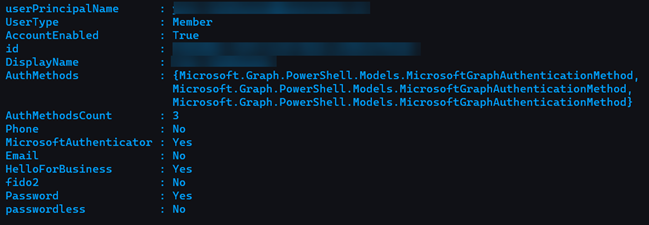
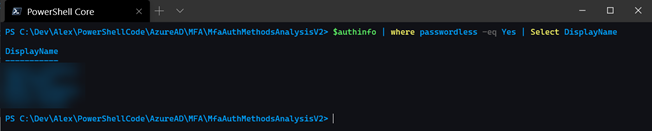
Filter the results as needed.
The script and instructions can be found on GitHub here: https://github.com/alexverboon/PowerShellCode/tree/main/AzureAD/MFA/MfaAuthMethodsAnalysisV2
Hope you liked this blog post, as always feedback is welcome.
Alex