Hey there, to be honest I had some difficulties to find the right title for todays blog post, so if you are still wondering here’s what this is all about. I had a customer asking me “how can we see what MDATP Respond actions were taken on a particular machine both from a Console and client perspective?”. At the time of writing this blog post we have the following machine response actions that trigger a remote action available for MDATP managed devices.
Initiate Automated Investigation
Initiate Live Response Session
Collect investigation package
Run antivirus scan
Restrict app execution
Isolate machine
Console View
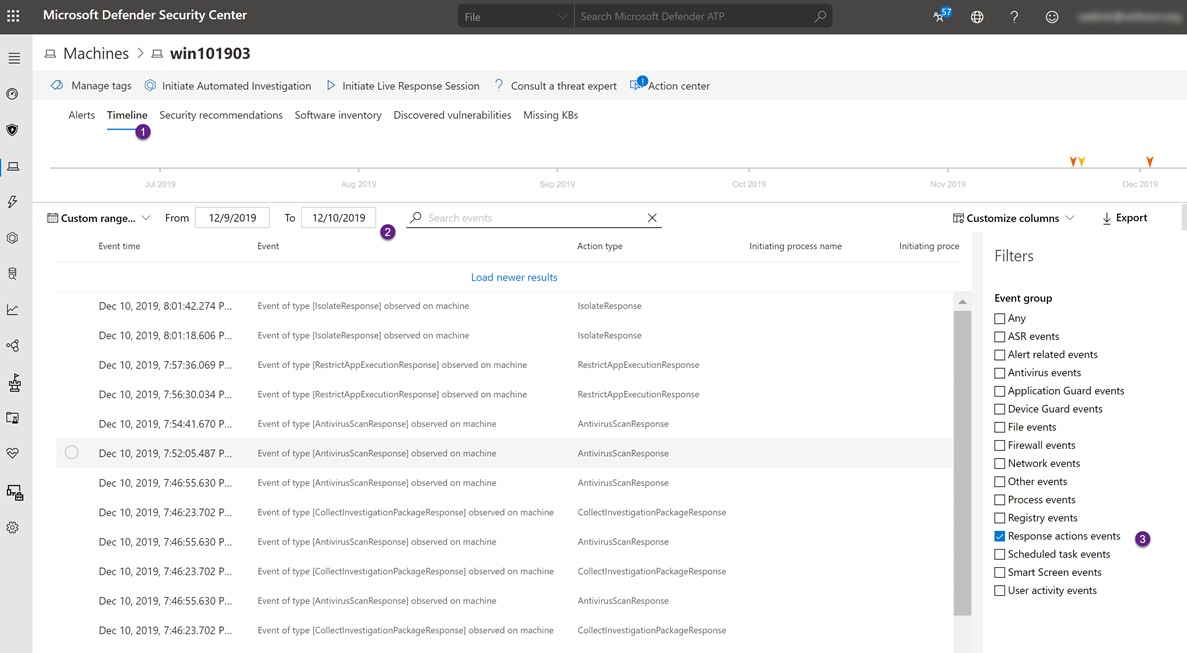
If you want to see the response actions that were taken on a machine, go to the machine detail page, select the Timeline option, set the time range and then set the filter to Response Action Event and there you go, you see all the response action events.
Client View
Okay now let’s have a look on the client itself. Here we look at the Windows event log provider for Microsoft Defender Advanced Threat Protection that is Microsoft-Windows-SENSE
Event ID Description
59 Starting command:
60 Failed to run command:
71 Succeeded to run command:
So if now we pull just these events from the MDATP Event log, we see all the individual actions.
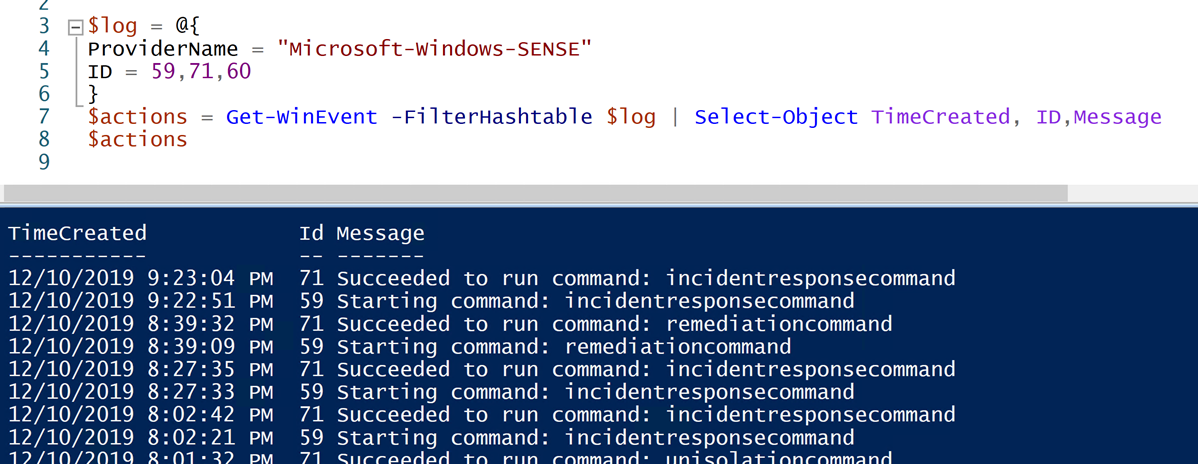
The mapping of the response actions to the event message is as following:
Console Response Action Event Message
Initiate automated investigation remediationcommand
Initiate live response session incidentresponsecommand
Collect investigation package forensicscollectioncommand
Run antivirus scan scancommand
Restrict app execution Restrictexecutioncommand unrestrictexecutioncommand
Isolate machine Isolationcommand
unisolationcommand
That’s it for today, hope you enjoyed reading
Alex