Here’s a ConfigMgr Compliance baseline that checks the BranchCache configuration on Windows 8 clients. With the release of Windows 8 and Server 2012 Microsoft also made available PowerShell cmdlets for BranchCache, so creating a script based configuration item in ConfigMgr becomes a pretty straight forward task.
The below Compliance Baseline checks the following 3 things.
Is BranchCache Enabled
Is the Service Running
Is BranchCache operating in Distributed Cache mode
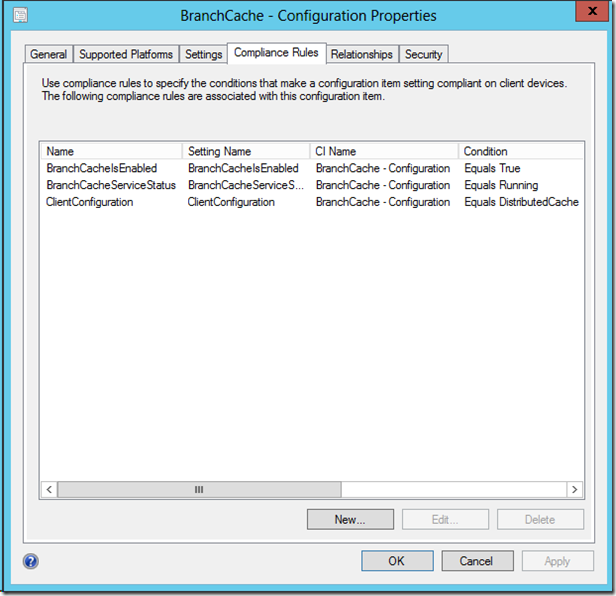
The following PowerShell commands are included within the configuration items.
$bcstat = get-bcstatus | Select-Object -Property BranchCacheIsEnabled
$($bcstat).BranchCacheIsEnabled
#True
$bcsrv = get-bcstatus | Select-Object -Property BranchCacheServiceStatus
$($bcsrv).BranchCacheServiceStatus
#Running
$bmode = get-bcstatus | Select-Object -ExpandProperty ClientConfiguration
$($bmode).CurrentClientMode
# DistributedCache
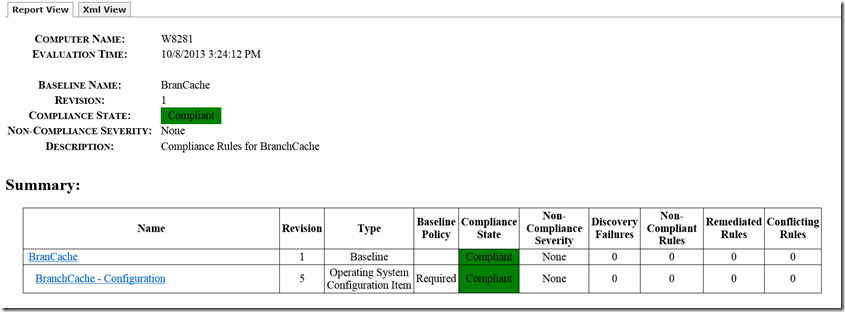
The result is as following (when all is compliant.
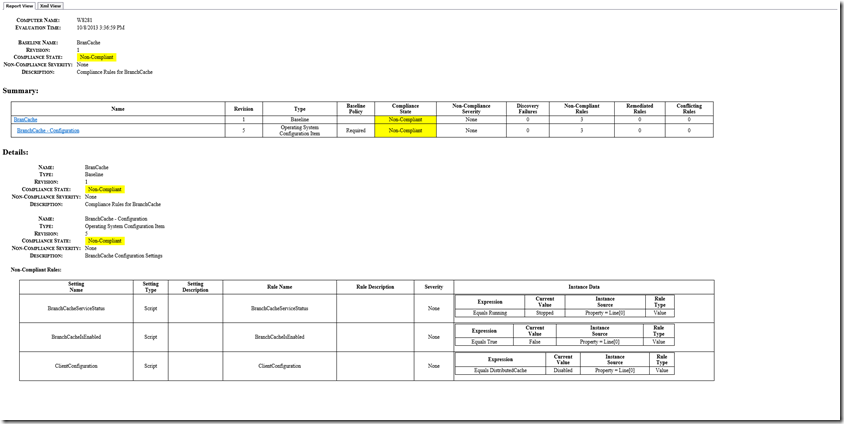
Or as following when things are NOT Compliant.
You can download the exported Win8-BranchCache.cab fie from here: http://sdrv.ms/GKMDyE