If you’re looking for a more advanced version of the WSUS Client Diagnostic Tool then have a look at the Diagnostic Tool for the WSUS Agent provided by Solarwinds. As for most of the Tools I mention on this blog, it’s FREE.
Here are the highlights:
The Diagnostic Tool runs on x64 and x86 systems
Additional validation tests on key configuration options, such as syntax checking on the WSUS URL, and validating the installed version of the Windows Update Agent against the installed version of Windows
Extended connectivity checks to the WSUS server, translation of error codes to human-readable messages, and suggestions for known resolutions to those issues
Both GUI and Command-Line interfaces
Validate key Windows Update Agent configuration values
Test connections to all WSUS resources and help identify probable causes of failures
Get useful descriptions of Windows Update Agent errors and the steps to repair them
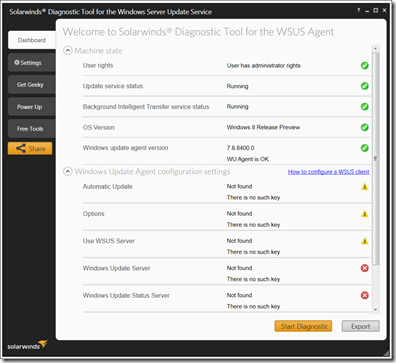
The Diagnostic Tool for the WSUS Agent can be downloaded from here and here you find a tool demonstration video.