A few days ago I found another utility for testing poor network connectivity. TMNetsim is a FREE utility provided by TMUrgent Technologies. TMnetsim is used to simulate a wide-area network for a single protocol. TMnetsim is primarily used to simulate network delay, however, in some (rare) cases it may be used to simulate packet loss or out-of-order delivery, as well as packet capture. (For more details read the provided tmnetsim.html file).
So to simulate an RDP connection over a network with delays simply launch the Utility on a server, configure the settings as shown below and then select the Start button.
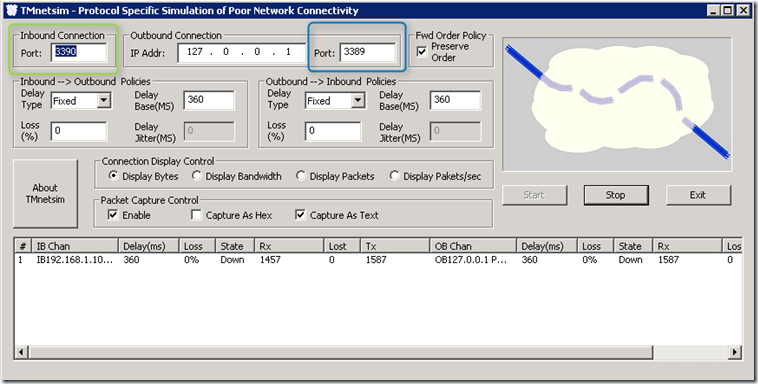
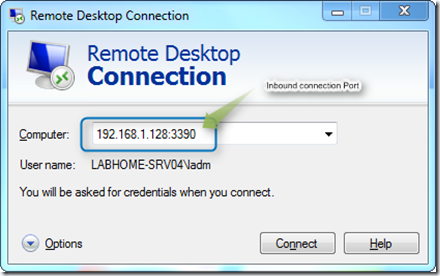
As you can see I defined Port 3390 as the Inbound Connection port for RDP, hence to connect to the simulated connection I also add that port number to the connection string.
TMNetsim is available for 32 and 64 Bit versions of Windows and can be downloaded from here (look into the Other Tools section).