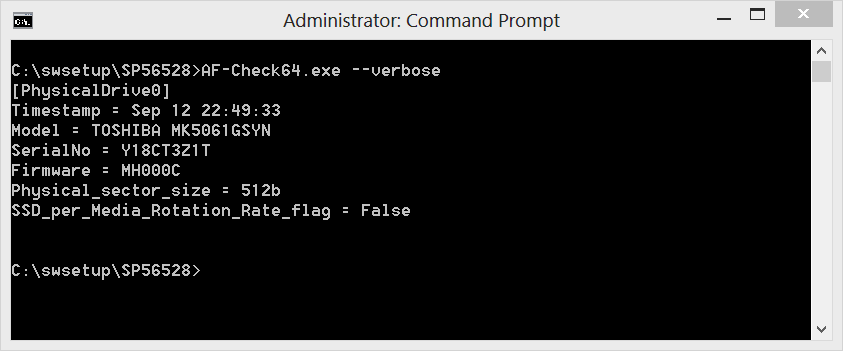
In case you’re looking for a command-line tool that detects the presence of an SSD (Solid State Drive) or whether the hard disk uses advanced disk format then here’s a nice utility from HP called the HP Advance Format Check tool.
Note that the tool only works on HP notebooks. A list of supported models can be found here
The software can be downloaded from the HP Software and Drivers website and includes a 32 and 64 Bit version of the AF-CHECK utility as well as a vbscript and detailed documentation.
The tool can be downloaded from here
HP Advance Format Disk Check Program - AF-CHECK.EXE, Version: 1.00.2012.0305 Version built on Mar 05 2012 Copyright (c) 2012 Hewlett-Packard Company
Usage: AF-Check.exe [[drive:][path]filename] [–nolog] [–verbose]
Options: [drive:][path]filename - Specifies an output file or if no filename is specified then the default filename is DriveInfo.ini. UNC paths can be used.
  -?         - help screen.
--nolog    - do not generate an output file.
--verbose  - display the output to the console screen.
The error level return code is defined as follows:
8 7 6 5 4 3 2 1 bit mapped X X X X X X 0 1 = 01 hex o Indicates that the first port has a drive attached but is NOT a AF drive.
X X X X X X 1 1 = 03 hex o Indicates that the first port has a drive attached and IS an AF drive.
X X X X 0 1 1 1 = 07 hex o Indicates that the first and second ports have drives attached. o The first port has an AF hard drive attached. o The second port does not have an AF hard drive attached.