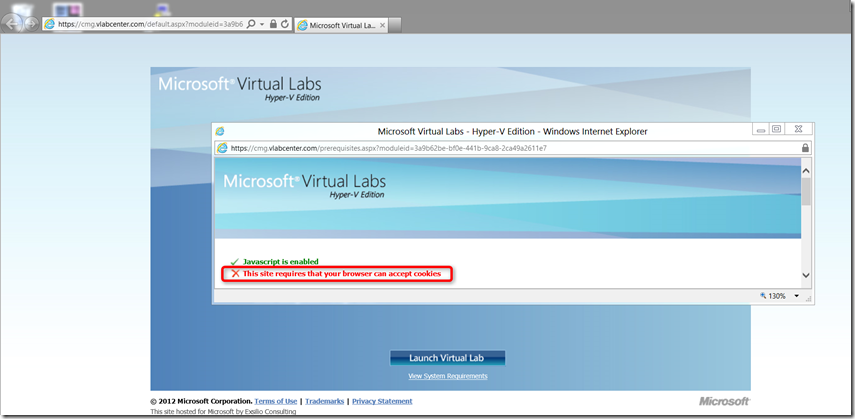
A few weeks ago I wanted to run a TechNet Virtual Lab, but ran into an issue where I would get an error message saying “This site requires that your browser can accept cookies”. So tried to change the settings within Internet Explorer settings, but with no luck, so gave up to do this on Windows 8 CP with IE10 assuming that’s one of the side effects of using Beta software. Now today having loaded the Release Preview I gave it another try, but again same error.
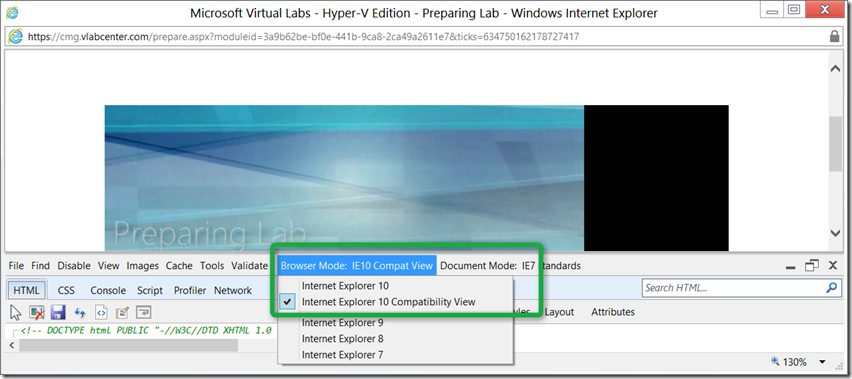
I then enabled the F12 developer tools by pressing, yes the F12 key and then under Browser Mode switched from Internet explorer 10 to Internet Explorer Compatibility View and there you go, the page reloaded and I got on to the next screen and was able to launch the Virtual Lab.