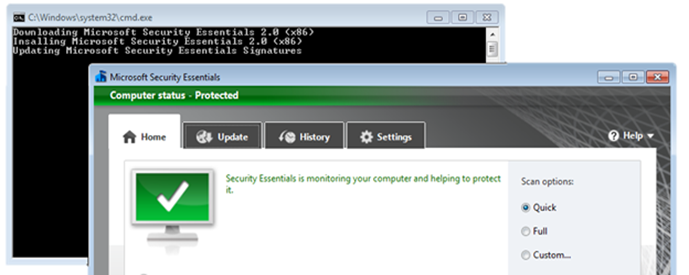
For all those that frequently setup test machines and get tired of manually installing the Microsoft Security Essentials 2.0, here’s a straight forward batch file (even a regular user could use) that does the following:
Downloads the Microsoft Security Essential 2.0 (x86) installation source file
Installs Microsoft Security Essentials 2.0
Downloads and updates the virus definition signature file
[sourcecode language=“plain”] @ECHO OFF Echo Downloading Microsoft Security Essentials 2.0 (x86) start /wait bitsadmin /TRANSFER MSE20 http://download.microsoft.com/download/A/3/8/A38FFBF2-1122-48B4-AF60-E44F6DC28BD8/en-us/x86/mseinstall.exe %TEMP%\mseinstall.exe
Echo Insalling Microsoft Security Essentials 2.0 (x86) start /wait %temp%\mseinstall.exe /s /runwgacheck /o
Echo Updating Microsoft Security Essentials Signatures start /wait "" “C:\Program Files\Microsoft Security Client\msseces.exe” /update pause [/sourcecode]
Just copy paste the above code a batch file like getmse.cmd and launch it.
If you need the 64 bit version, simply replace the above download url with http://download.microsoft.com/download/A/3/8/A38FFBF2-1122-48B4-AF60-E44F6DC28BD8/en-us/amd64/mseinstall.exe