Instead of opening several windows, here’s an easy way to get a list of installed QFE’s. simply open a command prompt and type:
**WMIC QFE **
or
WMIC QFE get caption,hotfixid,installedon
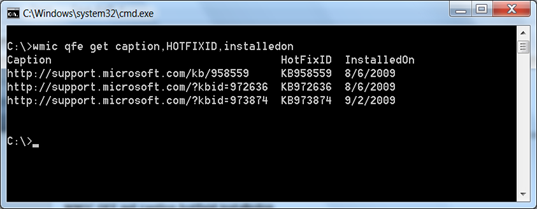
or if you are looking for a specific update, enter the following command:
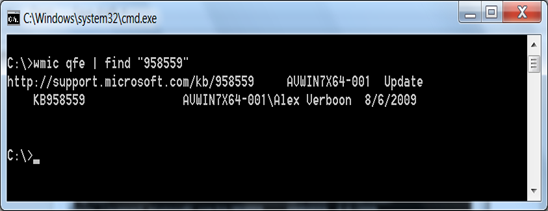
WMIC QFE | find “958559”
where 958559 relates to the MS KB number. If the QFE is installed, it will be listed.
Related posts:
3 seconds to get system serial number